01
Idle until you ask
Nothing is captured while you type. Corrigo only reads the sentence you send.
AI proofreading everywhere
A tiny bubble corrects grammar and rephrases your sentence right where you write.
Connect OpenAI, Anthropic, a custom endpoint, or a local model. Requests go from your device to your provider — your keys, your AI.
Keep scrolling to explore
AI provider
Your keysOpenAI
GPT-4o
Anthropic
Claude
Ollama
Local model
API key
Stored in the Keychain
Privacy first
Corrigo only sends text when you ask it to fix a sentence. Your keys, your model, your route.
Read the privacy policy01
Nothing is captured while you type. Corrigo only reads the sentence you send.
02
API keys live in the Keychain. We never store them on a server.
03
The request goes from your device to your provider, or to a local model. We are not in the middle.
Built native. Lives in the menu bar. Idle until you ask.
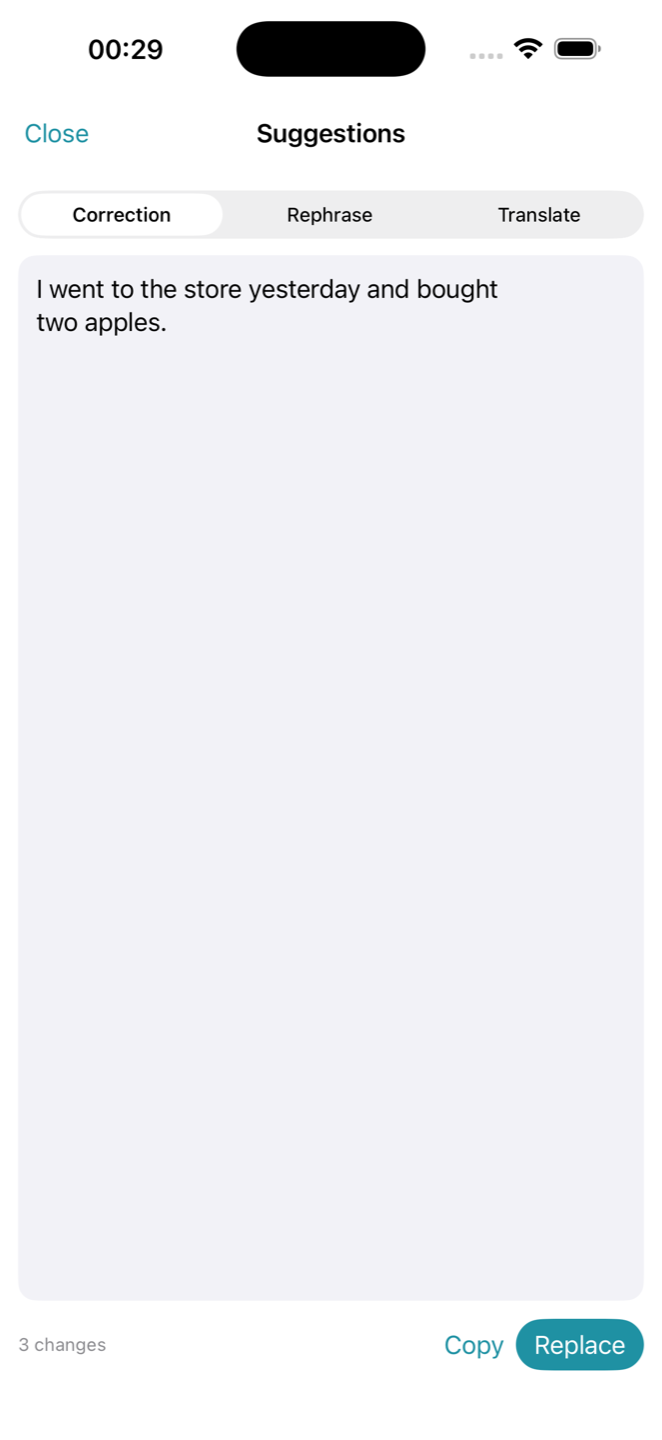
Changed words are highlighted. If the sentence was already fine, Corrigo says so. One click writes the fix back into the same field.
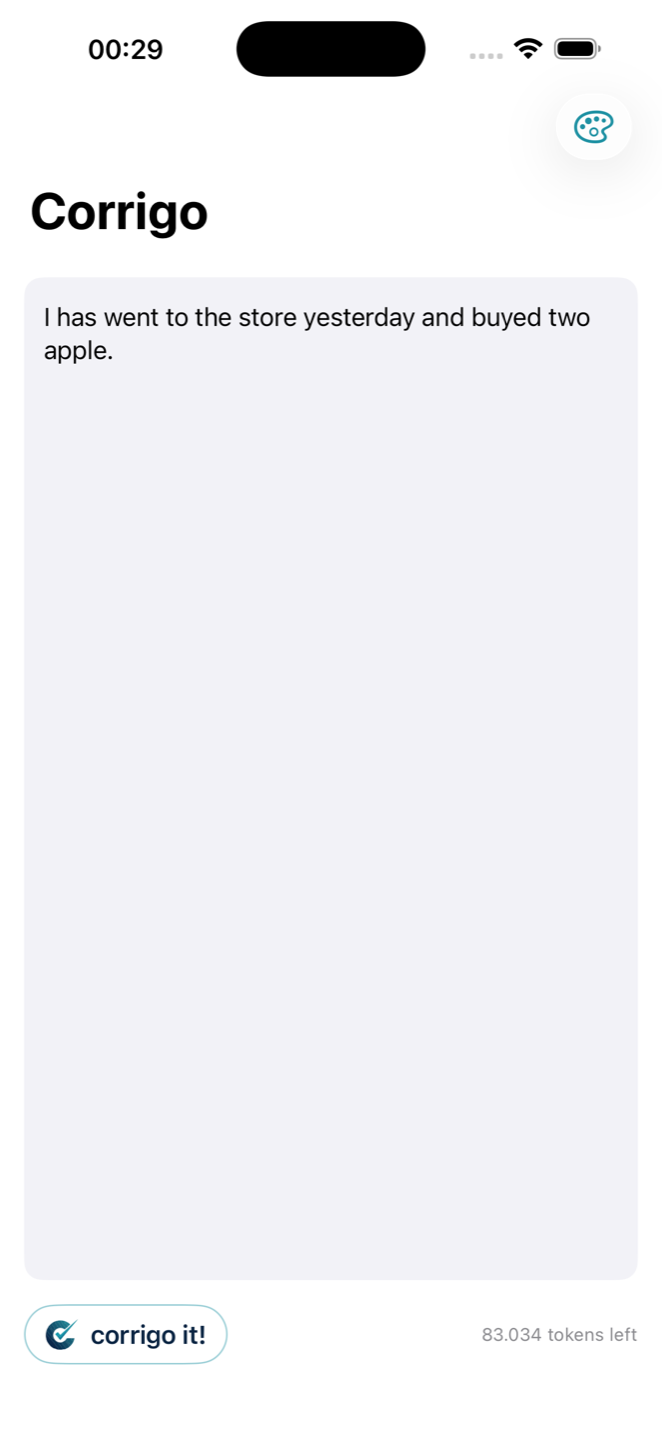
I has went to the store yesterday and buyed two apple.
I went to the store yesterday and bought two apples.
Back in the same field. Undo for ten seconds.
If an app will not take a normal replace, Corrigo pastes and puts your clipboard back exactly as it was.
A short toast after Replace. Ten seconds to bring the original sentence back.
Password managers and terminals stay off. Add any app you do not want the bubble in.
Menu-bar app. Idle until you click the bubble or press the shortcut.
Hosted AI if you want to start in a minute. Your own keys, or a local model, if the request should never touch us.
Sign in with email. Correction and rephrase work on Free. Upgrade for more tokens, devices, and translate.
On Max, paste OpenAI, Anthropic, Gemini, or a custom endpoint. The request goes device → provider. Keys stay in the Keychain.
Point Corrigo at Ollama or LM Studio. The sentence never leaves this machine.
Connect the model you already pay for
I used to copy a Slack message into ChatGPT and paste it back. Now I press ⌘⇧G, hit Replace, and the sentence stays in the field.
I write in Serbian and send in English. Same bubble, Translate tab, done. No extra window and no copy-paste.
On Max I use my own Anthropic key. The request goes from this Mac to the provider. That is why I left Grammarly.
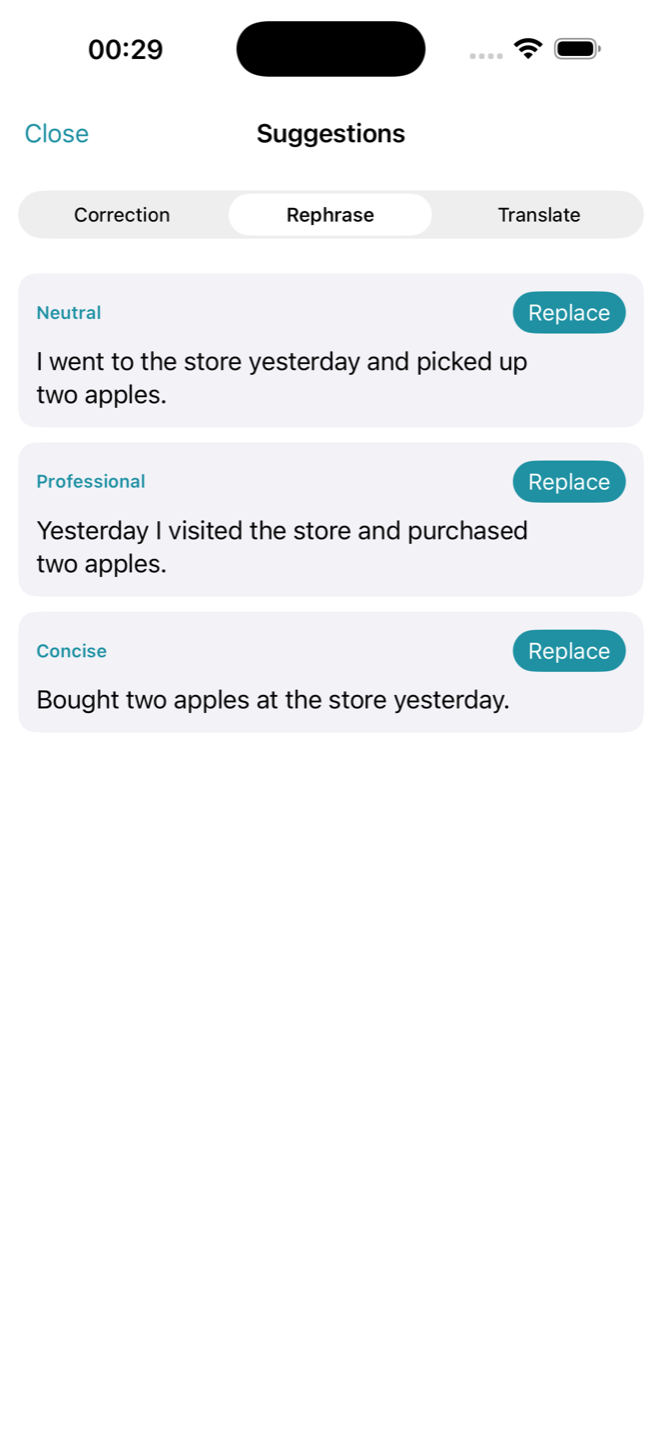
Professional for client mail, Concise when Slack is already too long. I stopped rewriting the same sentence three times.
iPhone
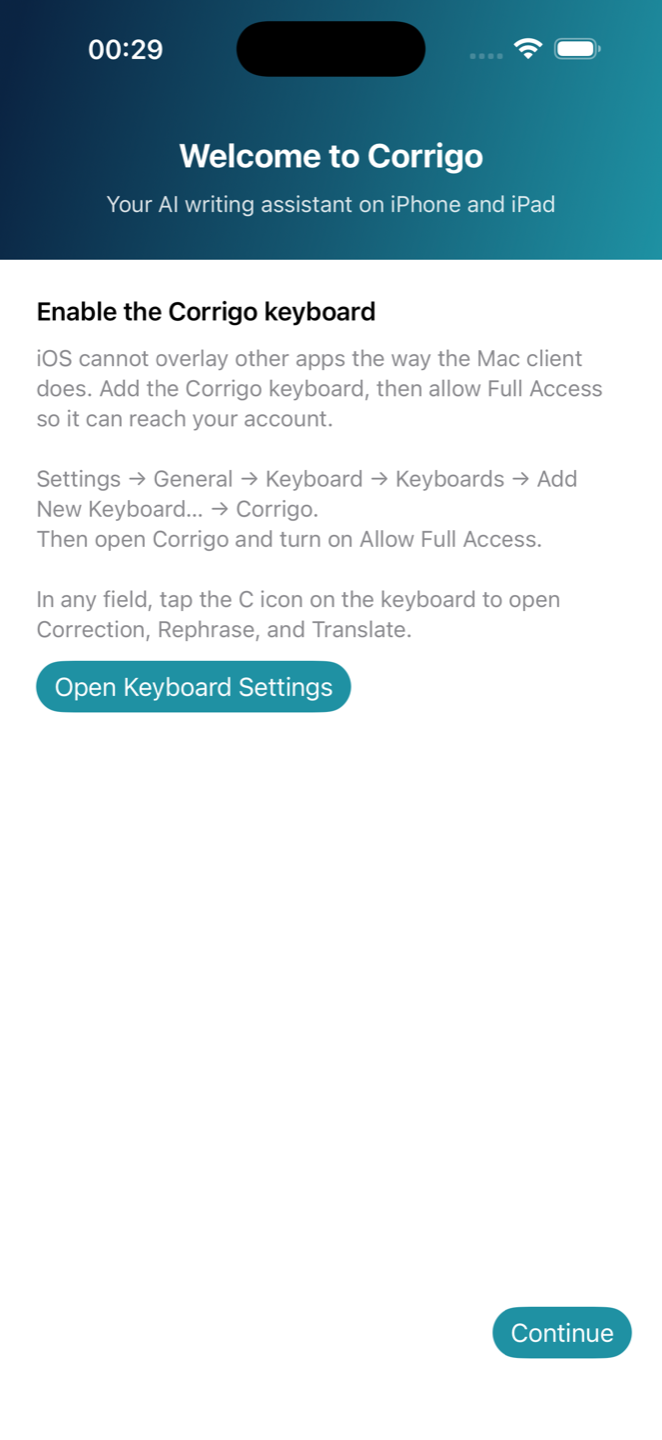
Corrigo on iPhone signs in with the same email as Mac and Windows. Tap the C icon for Correction, Rephrase, and Translate. Scroll the loop — these are the screens that will ship.
Turn Corrigo on once in iOS Settings. After that, the C icon sits above the keys in every app you type in.
Draft in the Editor, or stay in Messages, Mail, or Notes. One tap sends the sentence for Correction, Rephrase, or Translate.
See each change, then replace the original with one tap. The fixed sentence drops back into the field you were already in.
Pick a tone — Neutral, Professional, Concise — and drop a cleaner version into the same thread.
Sign in with the email you already use on Mac and Windows. Tokens and history follow you.
Tap C for every Corrigo action. The App Store listing is next — these are the screens that will ship.
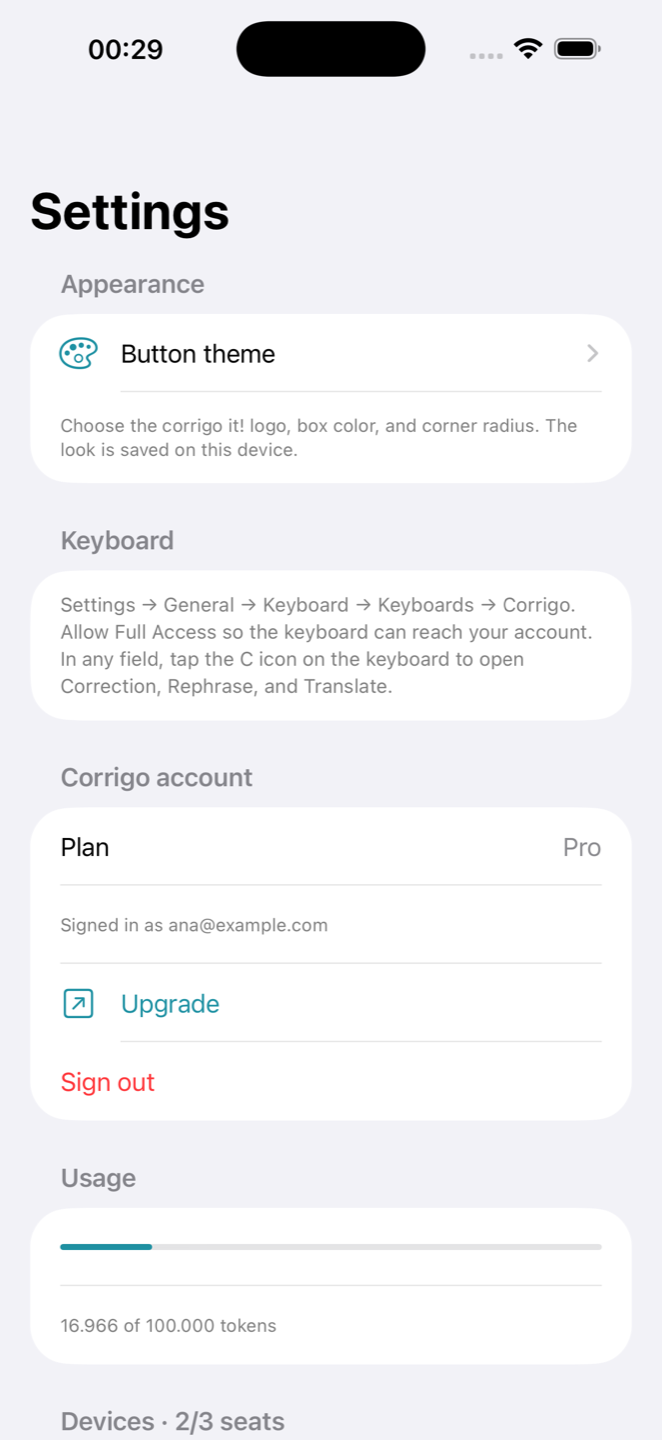
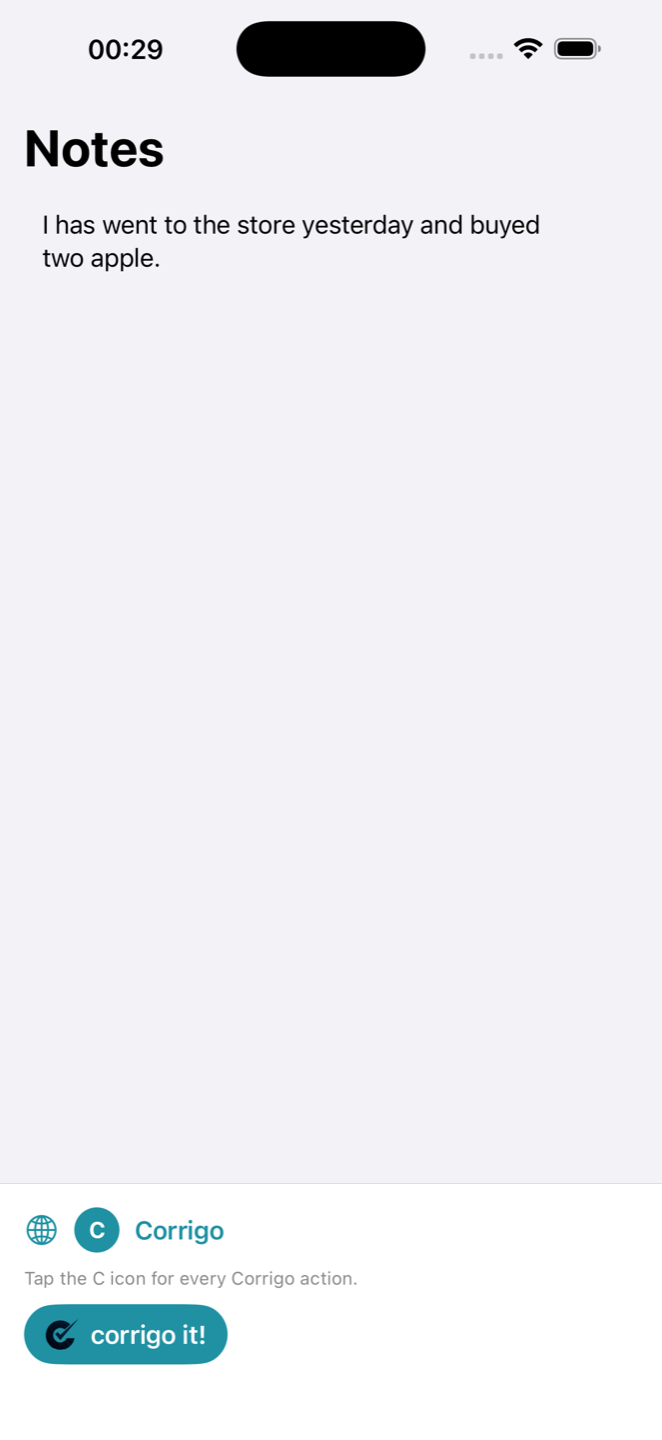
No API keys needed — sign in with your email and Corrigo's hosted AI does the rest. Every account starts on the Free plan. Upgrade when you need more.
Yearly = 2 months free
Free
$0
forever
Pro
$6
/mo · billed monthly
Max
$18
/mo · billed monthly
No. While you type, Corrigo only reads the field locally to know when to show the bubble. Text is sent to the AI provider only at the moment you click the bubble or press ⌘⇧G — never before, never in the background.
No. Text is processed only when you ask for a correction and is never logged or stored — we keep token counters, not content.
On Max you can plug in your own OpenAI or Anthropic key, a custom endpoint, or a local model. Your text then goes straight from your computer to the provider — it never touches Corrigo servers and doesn’t count against your token quota. Keys are stored in the Keychain.
On Max you can point Corrigo at a model running on your own machine via Ollama or LM Studio. Corrections then never leave your Mac at all — ideal for confidential work.
Tokens measure how much text the AI reads and writes. A typical paragraph correction uses about 400–1,000 tokens. Free includes 20,000 tokens each day (roughly 20 corrections). Pro includes 200,000 tokens a day. Max is unlimited. Unused tokens do not roll over.
Sign in with your email and you start on the Free plan — no card required. Upgrade to Pro or Max on the pricing page when you need more tokens, devices, or features.
Each Mac or PC where you sign in takes one seat. You can see and remove devices in Settings at any time — removing one frees the seat instantly.
Yes. Your plan stays active until the end of the period you paid for, then switches to Free. Your settings and dictionary stay on your devices. Cancel in the Paddle portal or email support@corrigo.me.
Yes. Email support@corrigo.me within 14 days of your first payment and we refund it in full. Renewal charges can be refunded within 14 days if you did not use the service in that period. Details are on the refund page.
Yes. Download the APK from the download page and allow installs from the browser. Then enable the Corrigo keyboard under Settings → System → Languages & input → On-screen keyboard. Sign in with the same email you use on Mac. The Play Store listing is next.
Reading and writing text in other apps requires the Accessibility permission, which sandboxed App Store apps can’t use. Corrigo is distributed as a signed, notarized download instead — the same way Grammarly, Raycast and Alfred ship.
Any language the underlying model understands. Corrigo detects the language of your text automatically and instructs the model to respond in the same language. The app interface is available in English and Serbian.